


Formula Builder •
For one of SCOPE Better’s key clients, pricing formulas were built in Excel by developers and used by everyone else. The problem wasn’t just that it required technical knowledge to build them; it was that once built, anyone could accidentally edit a cell and break the entire calculation without knowing it. There was no governance, no protection, and no way to know something had gone wrong until the numbers stopped making sense. Moving their formula logic onto the platform meant solving both problems at once: making formulas buildable without a developer, and making sure only the right people could touch them.
DISCOVERY
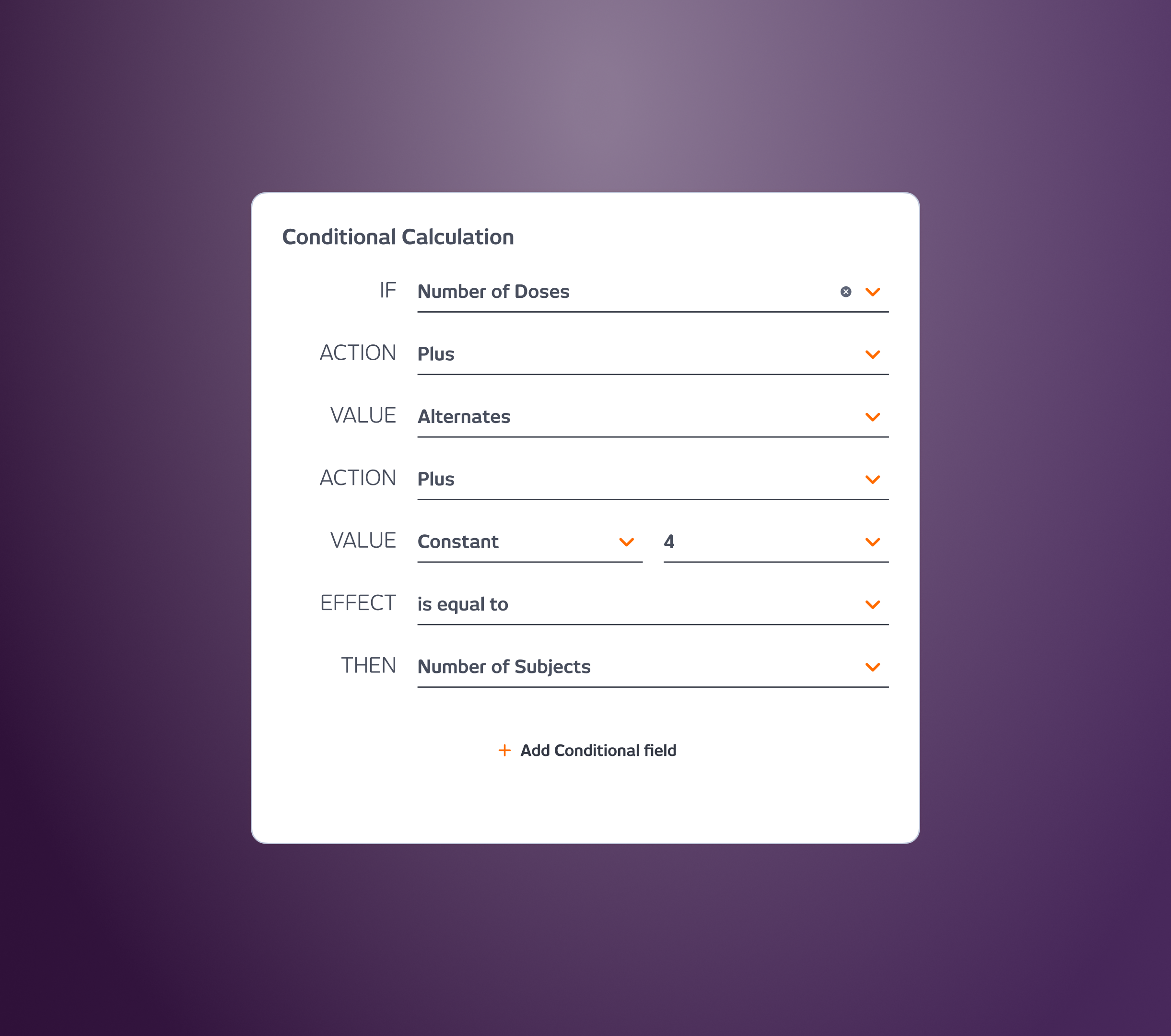
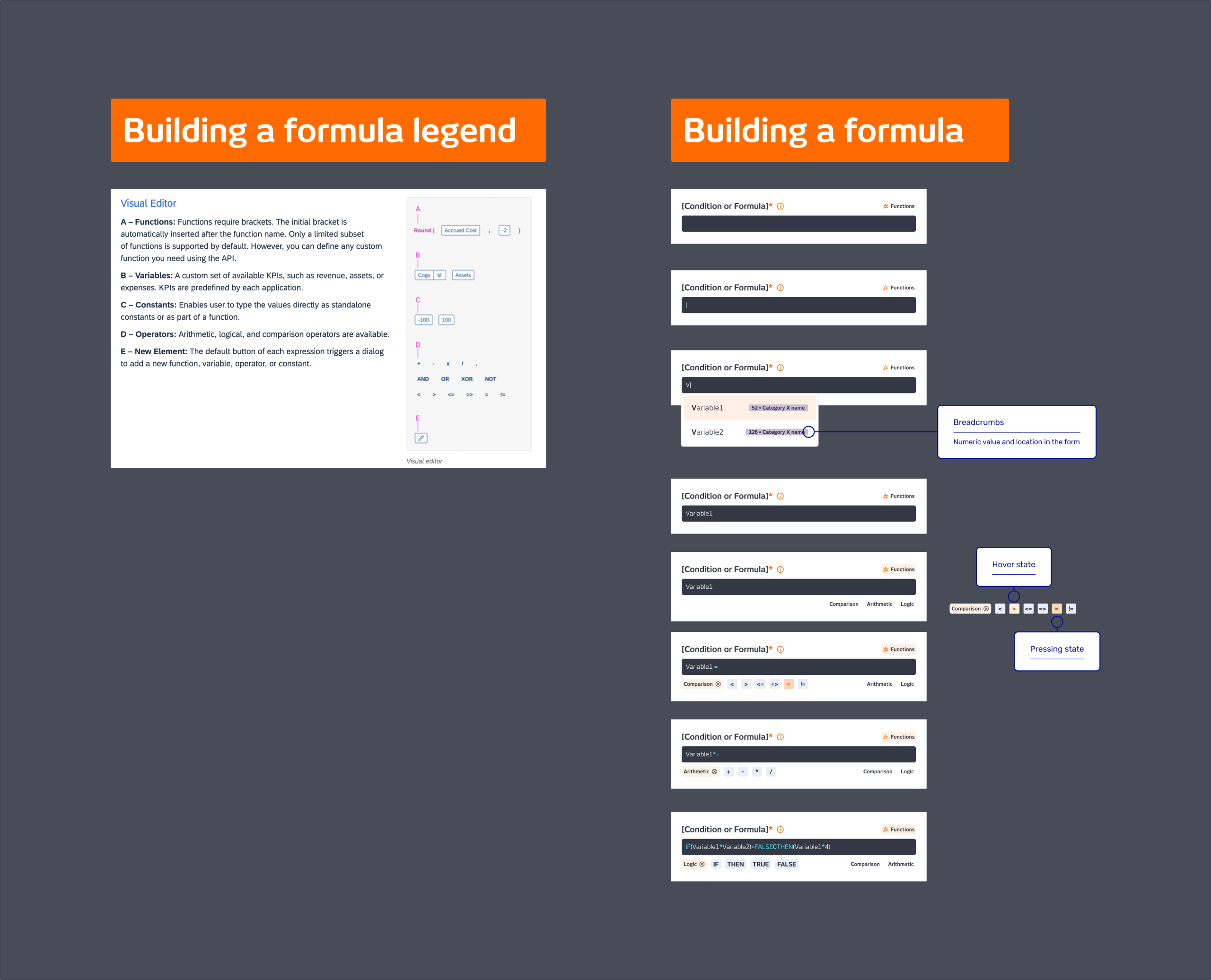
This feature was part of Scenario Pricing, a new flagship scoping method that required custom formula logic, calculations that lived outside the platform and needed to be brought in. Working closely with engineering, we defined the scope of what the formula builder actually needed to support. The conclusion was simpler than expected: variables, data points already labelled in the system, and operators, covering arithmetic, logic, and comparison. No free-form coding, no cell references, no syntax to memorise. Just a structured interface that guided users through building what they needed.
The translation from Excel to the platform was uncertain in two directions, technically, because the system needed to handle multiple background calculations without performance issues, and behaviourally, because users were used to thinking in cell references, not labelled variables. That uncertainty was reason enough to launch as an MVP and test before building further.
WHAT I DID
I designed the formula builder as a guided interface, clear enough for a finance lead with no development background to use confidently, structured enough to prevent the kind of accidental edits that made their Excel process so fragile. The builder surfaced available variables and operators explicitly, removing the need to remember syntax or consult a developer. Hints and inline guidance were built into every step so users understood what they were building as they built it.
Access was governed by role. Admin users could create and edit formulas. Everyone else got a read-only view; they could see the logic but not change it. That single decision addressed the core business risk that had made Excel unworkable for them.
I built a fully functional prototype to validate the concept with the client, which turned out to be the right call. The formula builder was the part of the Scenario Pricing flow that got validated fastest and that clients felt most confident covered their needs.
OUTCOME
The feature was well received in prototype validation; clients responded to it immediately because it solved a problem they had been living with for a long time. The project paused before the feature was built, so there are no metrics from live usage. But the validation was clear: the formula builder worked, the governance model made sense, and the concept was solid enough to stand on its own even within a larger flagship feature that was still being defined.”
The best constraint in this project wasn’t technical; it was permission. Deciding that only admins could edit formulas didn’t just protect the data. It made the whole tool trustworthy enough to use.
Company
SCOPE Better
Year
2024
Design Tools
Figma and Miro